Sound reactive lights for a gaming setup
Run a pixel strip behind the monitor and along the desk, and the lights react to explosions, footsteps and soundtracks through the controller's own microphone. Between matches, slow ambient modes glow without distracting you.

Ideas for the desk
- Monitor backlight: a strip on the back of the screen; the light on the wall eases eye strain in a dark room
- Under the desk: a strip along the front edge
- Shelves and wall: a ring or a 16×16 matrix as a visualiser
- Stream background: a matrix behind you that hits on the beat of your music
Speakers or headphones?
The controller listens to the room. With speakers it hears the game and the music; with headphones on, it hears very little, so pick one of the ambient modes, or play music from a speaker. Music modes pick up again by themselves when sound comes back.
Control without alt-tabbing
- The button on the shell: next preset, previous, on and off
- Home Assistant and the WLED app see it as a WLED light, so a scene or a stream-deck macro can switch it
- OSC on port 8000 for stream tools and macro pads
- Keyboard shortcuts in the app
Look after your eyes
Turn the brightness down, or set a schedule that dims it at night. The ambient modes keep moving slowly instead of flashing.
How it compares
| Feature | Game-sync lights | AudioReactive |
|---|---|---|
| Reacts to | Supported games or screen capture | Anything you can hear |
| Needs | Software on the PC | Nothing on the PC |
| Lights | Its own kit | Any WS2812B, SK6812 or WS2811 strip or matrix |
 Seed Pod
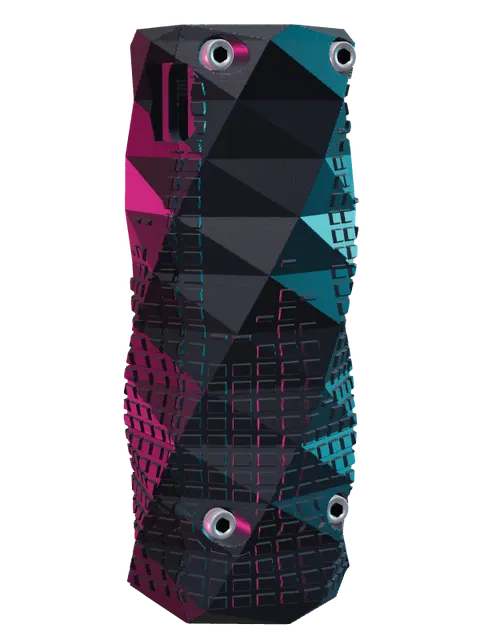 Faceted Twist
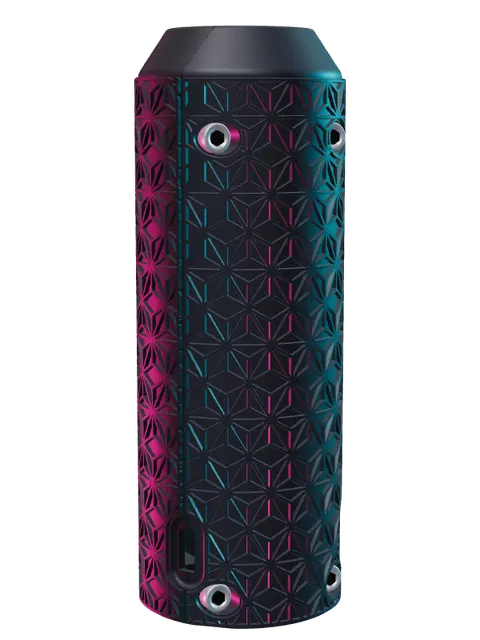 Round
Questions
Do the lights react to game sound?
Yes, to any sound the microphone can hear: game audio from speakers, music, voice chat. With headphones on there is little to hear, so use an ambient mode.
Does it need software on my PC?
No. It listens through its own microphone and the app opens in a browser. Home Assistant, the WLED app and OSC can control it if you want macros.
Can I use it as a monitor backlight?
Yes: stick a strip to the back of the monitor and choose a calm ambient mode or a music mode. It reacts to sound, not to the picture on screen.
More in the support guides, or ask us.